


|
Name |
Flud |
|---|---|
|
Google Play Link |
GET IT ON
Google Play
|
|
Category |
Video Players & Editors |
|
Developer |
Delphi Softwares |
| Last version | 2.0.13 |
|
Updated |
|
|
Compatible with |
Android 7.0+ |
Introduction to Flud APK
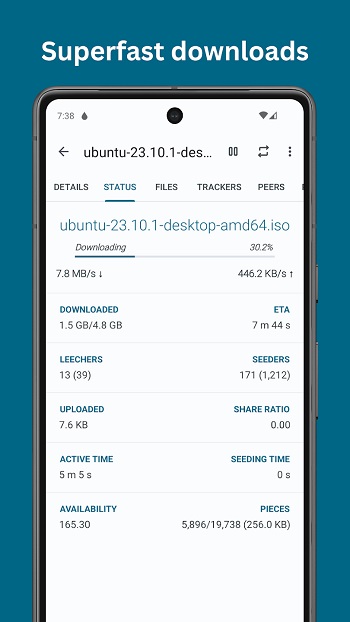
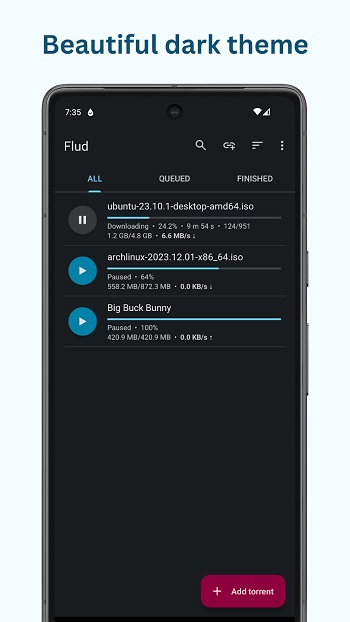
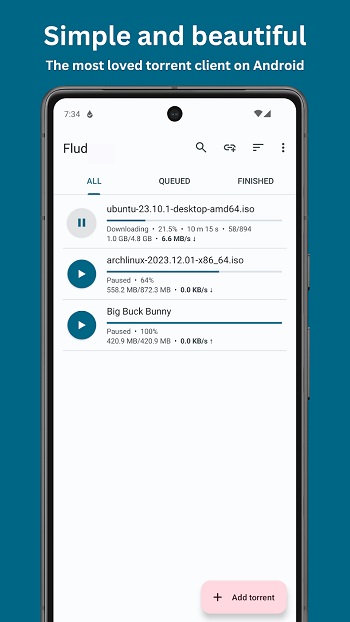
Flud is a mobile utility app built for Android users who want a simple way to manage torrent files directly on their phones. The app focuses on giving people easy control over downloads without requiring a laptop or complicated tools. Everything runs through a clean layout that feels lightweight, so new users can figure things out fast.
The main purpose of this app is to handle torrent links, magnet links, and large file transfers. People often use it to manage multiple downloads at the same time, set speeds, or organize files so their storage doesn’t get messy. Its interface is straightforward, making it useful for quick tasks or long-running downloads.
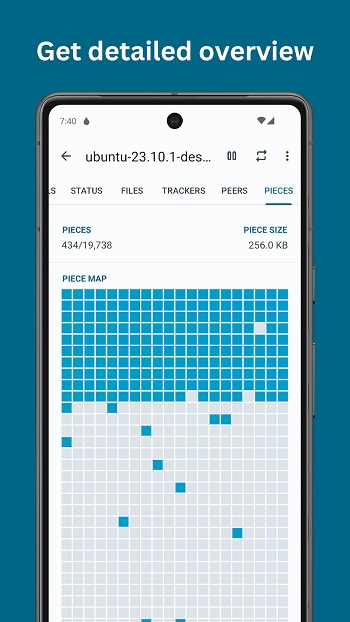
One thing that stands out is how flexible the controls feel. Users can adjust speeds, pick specific files from a torrent, or change download locations whenever needed. This helps those who deal with big folders or want better control over mobile data and Wi-Fi usage. The app also supports protocols that help keep connections stable during slow network moments.
Security features are also present, giving users optional settings to add a bit more privacy to their downloads. Encryption choices, tracker management, and Wi-Fi-only mode provide extra protection for people who prefer tighter control over their activity. Storage handling is another plus, as the app smoothly works with both internal memory and SD cards.
There are a few things to keep in mind. Devices with older file systems may struggle with file sizes over certain limits. A weak connection might also slow things down depending on swarm health. Still, the app’s performance remains steady enough for most everyday tasks.
Flud fits users who often download media, documents, or large archives and want a tool that doesn’t feel overwhelming. It works well for both beginners who want something simple and those who like adjusting technical settings to match their habits.
FAQs Flud
What is Flud and what does it do?
+
Flud is an Android app that lets users manage torrent and magnet downloads directly on their phones.
Is Flud safe to use on mobile devices?
+
It offers optional encryption, tracker controls, and Wi-Fi-only mode to help users stay more secure while downloading.
Does Flud support very large files?
+
Yes, but file size limits depend on the device’s storage format, especially when using older SD cards.
Can I choose which files to download in a torrent?
+
The app lets users pick specific files, making it easier to save space and prioritize what they actually need.
Who should use Flud?
+
It’s suitable for anyone who needs a simple yet adjustable torrent manager for handling downloads on Android.
Discover More Interesting Apps
-

Snack Video
v13.6.30.545702
85.21 Mb
Updated -
Mod
PrettyUp
v7.6.0.1
220.13 Mb
Updated -
Rumble
v2.8.0
11.31 Mb
Updated -
JanaTube
v5.6.90.107
24.73 Mb
Updated -
Mod
XRecorder
v2.5.3.2
35.73 Mb
Updated -
Mod
invideo AI
v4.5.31
95.92 Mb
Updated -
Mod
Filmora
v15.6.60
227.57 Mb
Updated -
Mod
Zeemo
v7.0.4
144.96 Mb
Updated -
Mod
KwaiCut
v7.47.0.747148
194.95 Mb
Updated -
Mod
mAst
v2.7.9
72.07 Mb
Updated










Share Your Thoughts